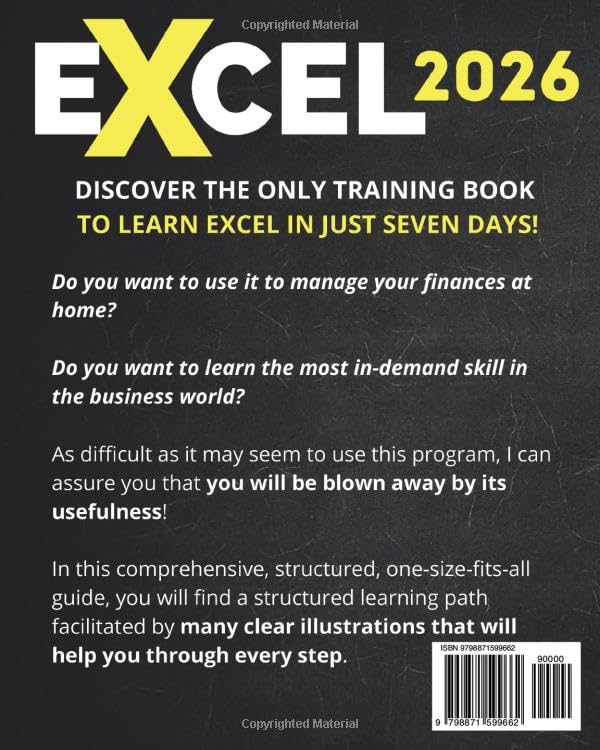
Microsoft Excel remains one of the most powerful tools for data management, analysis, and visualization in both professional and personal settings. However, for many beginners, the sheer complexity of Excel’s features can feel overwhelming. Excel: The Easiest Way to Master Microsoft Excel in 7 Days aims to change that narrative by providing a structured, beginner-friendly approach to conquering Excel with confidence. This updated 2026 edition presents a clear roadmap for newcomers to grasp Excel fundamentals quickly, supported by vivid illustrations, practical exercises, and bonus learning aids. Whether you want to manage personal budgets, organize projects, or build reports, this step-by-step guide promises to make your Excel journey smooth and rewarding.
Key Concepts
This guidebook is thoughtfully designed around a seven-day structured learning plan, which breaks the vast world of Excel into manageable daily goals:
-
Day 1 – Excel Basics: Start with the Excel interface and learn to create your first spreadsheet. This foundation makes it easy to navigate without confusion.
-
Day 2 – Data Entry and Management: Learn efficient techniques to enter, edit, and manage data. Mastering this step ensures your information is accurate and well-organized.
-
Day 3 – Organizing Data: Introduces sorting, filtering, and highlighting tools to help you focus on the most relevant information for your needs.
-
Day 4 – Spreadsheet Customization: Enables you to create visually clear and structured sheets that enhance readability and professionalism.
-
Day 5 – Functions and Formulas: Focuses on essential formulas that bring life to your data — from simple sums to logical operations — illustrated with easy-to-follow examples.
-
Day 6 – Tables: Learn to organize and manipulate larger datasets effectively, making data analysis more streamlined.
-
Day 7 – Charts: Guides you through creating professional charts and includes time-saving keyboard shortcuts, boosting your productivity.
Beyond this core curriculum, the book boasts over 200 clear illustrations to visualize concepts and 100+ step-by-step exercises that reinforce hands-on learning. Additional bonuses like 300+ ready-to-use Excel templates cover practical scenarios such as budgeting and inventory management, while a full video course offers alternative instruction modes for varied learning preferences. Notably, the latest update adds 100+ Copilot prompts — designed to integrate with Excel’s AI assistant — enabling smarter, efficient workflows.
Unlock Microsoft Excel in Just 7 Days!
Pros & Cons
Pros:
- Structured and Beginner-Friendly: Many readers appreciate the logical progression, which minimizes confusion and builds confidence day by day.
- Rich Visual Content: The 200+ illustrations make complex functions and formulas easy to understand, perfect for visual learners.
- Diverse Learning Tools: From exercises and templates to videos and AI Copilot prompts, the variety caters to different learning styles.
- Comprehensive Coverage: Covers essential Excel features comprehensively without overwhelming novices.
- Free Price Point: Being free removes the barrier for anyone eager to get started with Excel.
Cons:
- Pace May Be Fast for Absolute Beginners: Some users mention that while the 7-day plan is ambitious, slower learners might find it challenging to keep up.
- Limited Advanced Topics: As a beginner’s guide, it doesn’t delve deeply into advanced Excel functionalities; users will need other resources to build on after completion.
- Formatting and Layout: A few readers noted minor issues with formatting, such as cramped pages or small fonts in some sections, affecting readability.
Who Is It For?
Excel: The Easiest Way to Master Microsoft Excel in 7 Days is ideal for:
Start Your Excel Journey: Click Here!
- Absolute Beginners: Individuals who have little to no experience with Excel and want an accessible entry point.
- Students: Those needing to learn Excel quickly for coursework or projects.
- Professionals Switching Careers: People transitioning into roles requiring spreadsheet skills and looking for a structured, manageable training.
- Self-Learners: Anyone who prefers a self-paced, visual, and exercise-driven approach rather than piecing together random tutorials.
- Budget-Conscious Learners: Since the book is free, it’s a perfect first investment before potentially moving onto paid advanced courses.
Final Thoughts
For novices eager to build a solid Excel foundation in just one week, Excel: The Easiest Way to Master Microsoft Excel in 7 Days offers a practical, well-organized learning path that stands out from fragmented online tutorials. The combination of clear illustrations, step-by-step exercises, and supplemental resources like templates and videos enhances user retention and real-world application. While the seven-day timeline may be ambitious for some, the flexible, modular design lets you progress at your own pace.
Master Excel with 200 Clear Illustrations!
If you have been intimidated by Excel’s complexity or frustrated by scattered resources, this updated 2026 edition could be the structured guide you need to unlock the power of spreadsheets. Embracing this book’s approach can help you confidently tackle data tasks — from managing basic lists to crafting insightful charts — and lay the groundwork for more advanced Excel skills in the future. Overall, it’s a commendable starting point that strikes a balance between clarity and comprehensiveness, making Excel mastery accessible to absolute beginners.
As an Amazon Associate, I earn from qualifying purchases.